P1C1T1#yIS1

Below are some more detailed instructions on how to enable secure remote access to your Smart Home.


0BAccessing Home Assistant from outside your home

Home Assistant is secured by design and therefore by default only accessible from within your home WiFi.

The most secure way to access your Home Assistant from anywhere in the world is through the Nabu Casa service, Home Assistant’s official cloud service. It costs $5.99/month and creates a private, encrypted connection between your phone and your smart home.

The process is split into two steps:

1.      Sign up for an account

2.      Enable Remote Access

1.     1BSign up for an account:

P13C1T1#y1

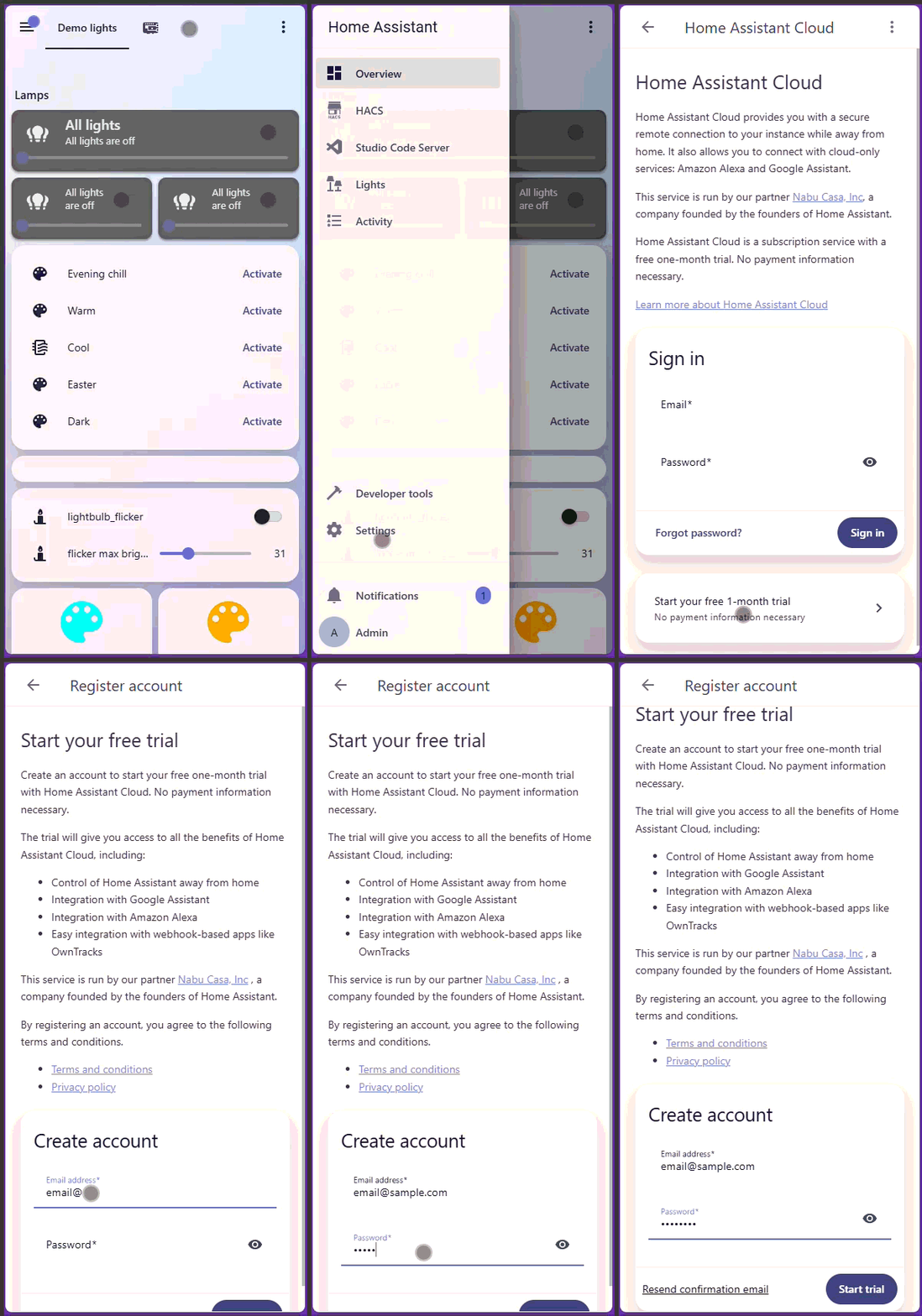
1.      Open the Home Assistant app


2.      Click on Menu → Settings → Home Assistant Cloud


3.      Click on ‘Start your free 1-month trial’


4.      Enter the email and password you’d like to register with.


P23C1T1#y1


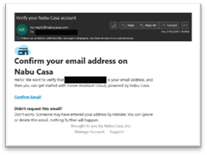
You will then receive an email from ‘[email protected]’ confirming your account creation.


Please click on the link in this email titled ‘Confirm Email’.


P29C1T1#y1

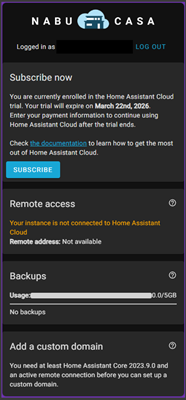
You should now be logged into the Nabu Casa website and see this page.


You do not need to subscribe today, because your free trial has automatically started. However, to continue using this service after the expiration date, you will need to subscribe.


Close this website and go back to your Home Assistant.


2.    2BEnable Remote Access


P39C1T1#y1

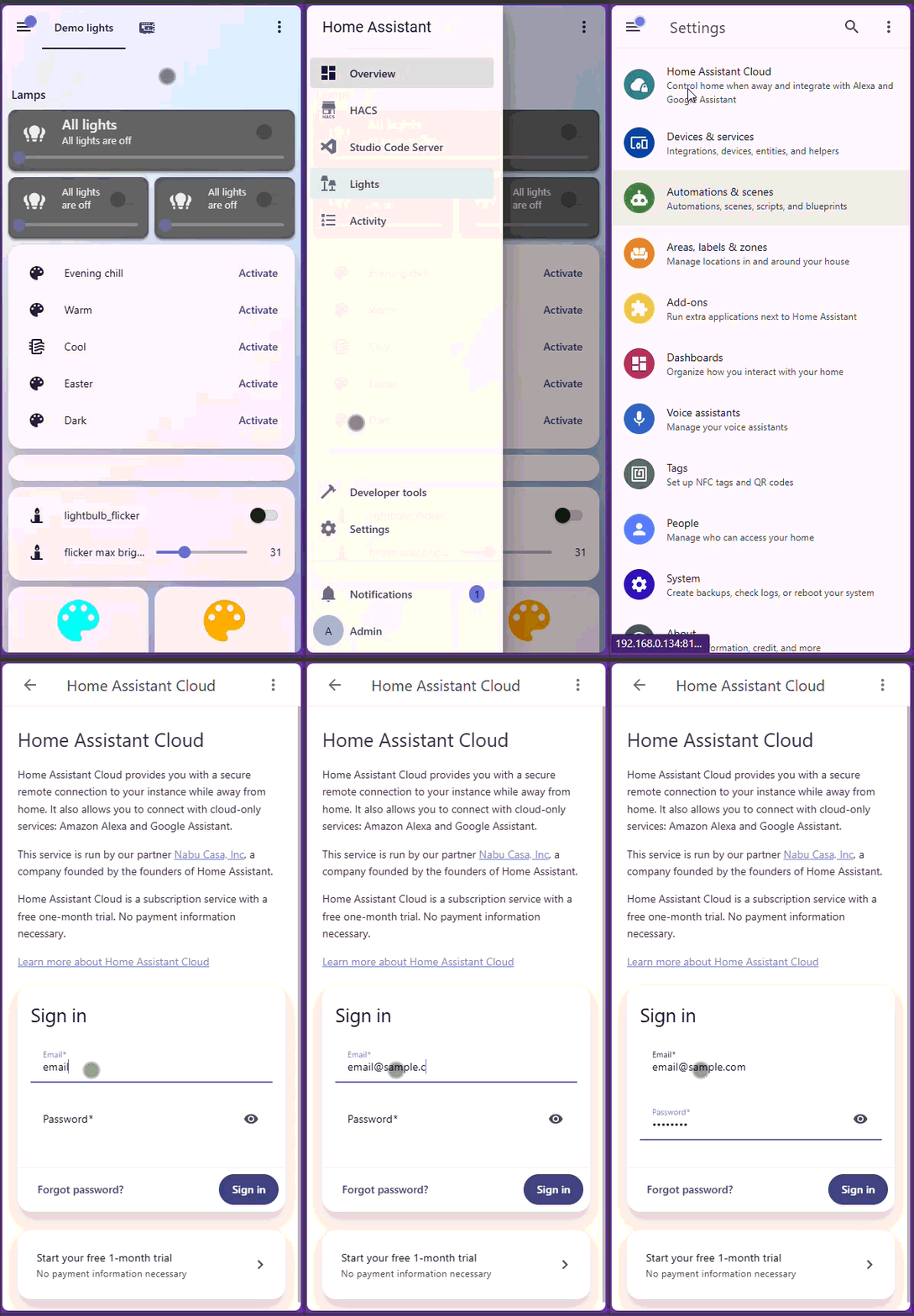
In the Home Assistant app, navigate to the Cloud page again. This time you’ll enter the login credentials you created in the previous step:

1.      Click on Menu → Settings → Home Assistant Cloud


2.      Enter your email and password and click ‘sign in’


**Important**

1.      Once signed in, Enable ‘Remote Access’

2.      Click on ‘copy link’ near the bottom of the screen.

3.      Click on the back arrow to go back to Home Assistant’s settings screen, and click on Companion App.

4.      Select your Home Assistant server (there should only be one option)

5.      Click on ‘External Link’ and paste the link copied from step 4, and click ‘Save’.

You are done!

You are now set up for remote access. Your Home Assistant phone app will now be able to access your smart home from anywhere in the world.